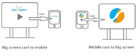
Interactive Software with complete function
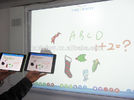
Using eClass interactive software, it can catch all kinds of notes and ideas. Standing in front of the whiteboard, it doesn’t need any other tools for training and teaching. And there are the tools as you want in the software. They can be used to write, draw, eraser, create new pages, edit, print, cut, copy and paste.
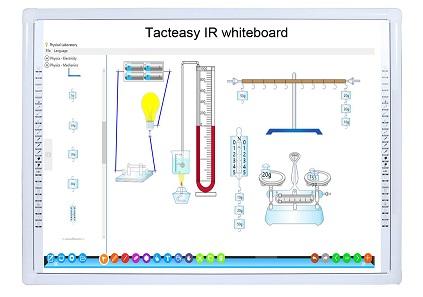
Gesture Recognition
Working as a mouse by finger touch or double click on the whiteboard. Using fingers to move what you have created. Rotating or zooming in or out the pictures by multi touch. More easily, starting the software by palm on the whiteboard directly, which are good ways to encourage students to be interactive in the class through the whiteboard.
Handwriting recognition and Shape recognition
Using eClass, it can make the hand writing words to text words, which is the handwriting recognition. And it can recognize the shapes what your fingers draw, and turn into graphic shapes, which is the intelligent pen. Certainly, it can directly use not only on the computer but also on the interactive whiteboard.
Multi-users writing at the same time
Adopting own-designed special algorithm, Tacteasy has realized the multi-users writing at the same time,which can not only satisfy Windows’ painting software, but also show perfect ten points touching and different ways multi-users writing at the same time in Tacteasy’s own professional software. It writes well and absolutely solves the problems of lines stop and crossing etc. No matter what the writing ways is at same or reverse direction, slow or fast speed, even English or Chinese, it can fluently write.
Compatible with many devices
eClass can apply to any interactive whiteboards, and soon will be used in other educational tools, like iPad, notebooks and voting system. It means, no matter what devices are used in schools, eClass can ensure the unity of teaching and resources sharing.
Support multiple files
Using the software, users can deal with documents in their computer such as adding, editing, deleting, saving and printing. Also, users can prepare documents after class, like Powerpoint, PDF, Word, JPEG, which are freely used in the software.


)window.location='http://www.iwb-china.com/photo/pl21284594-muliti_touch_interactive_touch_screen_software_kiosk_display_software.jpg')